
A Mitsubishi Electric indoor unit can enter standby when another room on the same outdoor unit requests an incompatible operating mode. Before interpreting a blinking indicator as a failed component, identify the shared system and compare every room’s mode. This is a model-specific controls check—not a general explanation for every Mitsubishi fault.
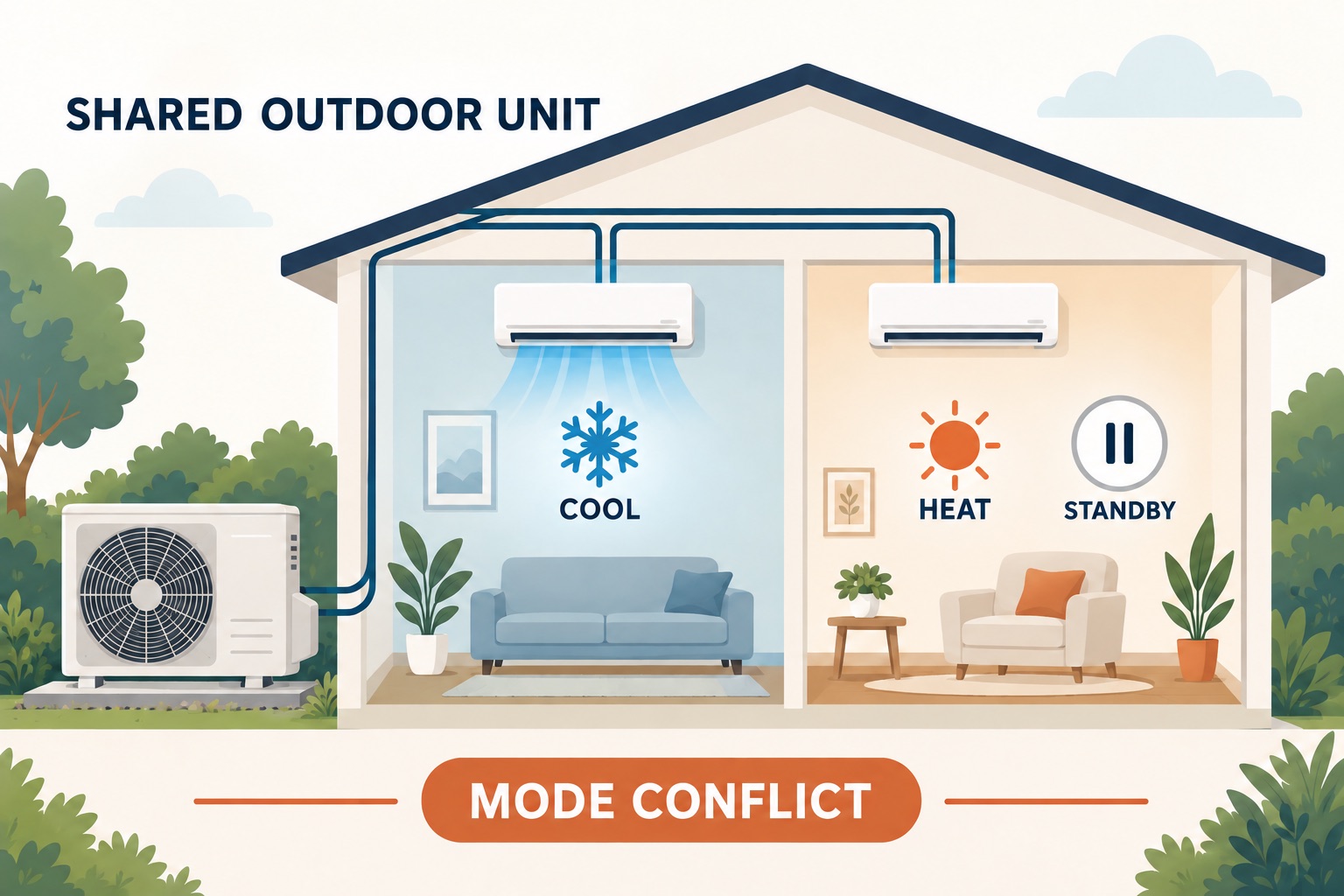
What the documented example actually says
The MSZ-FS06/09/12/15/18NA operating instructions, English page 6, explain that indoor units sharing one outdoor unit cannot run COOL/DRY/FAN and HEAT simultaneously. The last unit selecting the incompatible mode enters standby. That manual also discourages AUTO operating mode when connected to an MXZ outdoor unit because automatic changeover can create incompatible requests.
This example is for Mitsubishi Electric, not Mitsubishi Heavy Industries. Do not apply it indiscriminately to single-zone systems or commercial configurations that may support different behavior. Find your exact instructions through the Mitsubishi Electric literature library or your installer.
Map which rooms share the outdoor unit
Two indoor heads in one house do not necessarily belong to the same system. Use the installation record or ask the installer to identify the group. Record accessible model labels without climbing, removing covers or tracing refrigerant lines. If the group is unknown, record it as unknown rather than inferring it from appearance.
| Room | Shared group | Requested mode | Setpoint and indicator |
|---|---|---|---|
| Living room | Example group A | COOL | Record actual settings and lamp pattern |
| Bedroom | Example group A | HEAT | Record whether standby began after this request |
| Another room | Confirm; do not assume | Check remote, wall control or app | Record timer or schedule changes |
The example table deliberately does not assign a universal indicator pattern. Compare your light sequence with the exact manual: a standby indication and a fault code are not interchangeable.
Check mode before fan speed
A remote’s AUTO fan setting and AUTO operating mode are different controls. Changing fan speed does not necessarily change whether the room asks for heating or cooling. Read the mode field itself; do not rely solely on the fact that air is moving.
For the FS multi-system example, FAN is included on the cooling/dry/fan side of the incompatibility rule. Therefore, selecting FAN in one room is not a documented workaround for another room requesting HEAT. A higher or lower setpoint is also not a substitute for making the operating modes compatible.
A controlled, non-repair check
- Write down each room’s present mode, setpoint, controller and active schedule before changing anything.
- Check your system’s manual and agree on one compatible operating mode for the shared group. Consider the needs of all occupants.
- Use normal user controls to make compatible requests. Do not edit installer settings or repeatedly reset the breaker.
- Allow the normal startup or changeover behavior described in the manual, then record whether standby clears.
- If an app or timer changes a room back, document the schedule rather than assuming the hardware failed.
If compatible settings restore operation, retain the room map as a household reference. This observation supports a mode-conflict explanation; it does not establish that refrigerant charge, airflow or every component is correct.
When it is not enough
Persistent standby, an actual error indication, or poor heating/cooling with compatible settings needs further model-specific assessment. Send support the indoor/outdoor model numbers, shared-room map, exact lamp sequence, controller screenshots and the order in which requests were made. Our Mitsubishi troubleshooting guide separates safe checks from service work, while the maintenance checklist covers routine care.
Stop operating the system and seek appropriate help for burning smells, smoke, repeated electrical trips or significant leakage. Do not open electrical compartments, modify wiring, handle refrigerant or bypass controls to force simultaneous heating and cooling.
Editorial method: TemperatureMaster Editorial prepared this model-scoped explanation with AI-assisted research and writing. The room map is an original documentation aid, not a field-tested diagnosis or evidence of a technician inspection. Sources checked October 4, 2026. See our editorial policy.

Mitsubishi AC Troubleshooting: Safe Step-by-Step Guide
Sunday 4th of October 2026
[…] cools, check the shared outdoor-unit group before interpreting the light as a failed component. Our Mitsubishi multi-split mode-conflict guide uses a documented model example and a room-by-room controls […]