
To find the right Goodman furnace manual, start with the complete equipment model, then check the document’s covered model families, purpose, and revision. A Goodman logo, a similar cabinet, or the same heating capacity is not enough to establish a match.
This guide helps you build a reliable document folder before diagnosing a fault or requesting service. For the symptom-based decision order, see our Goodman furnace troubleshooting guide.
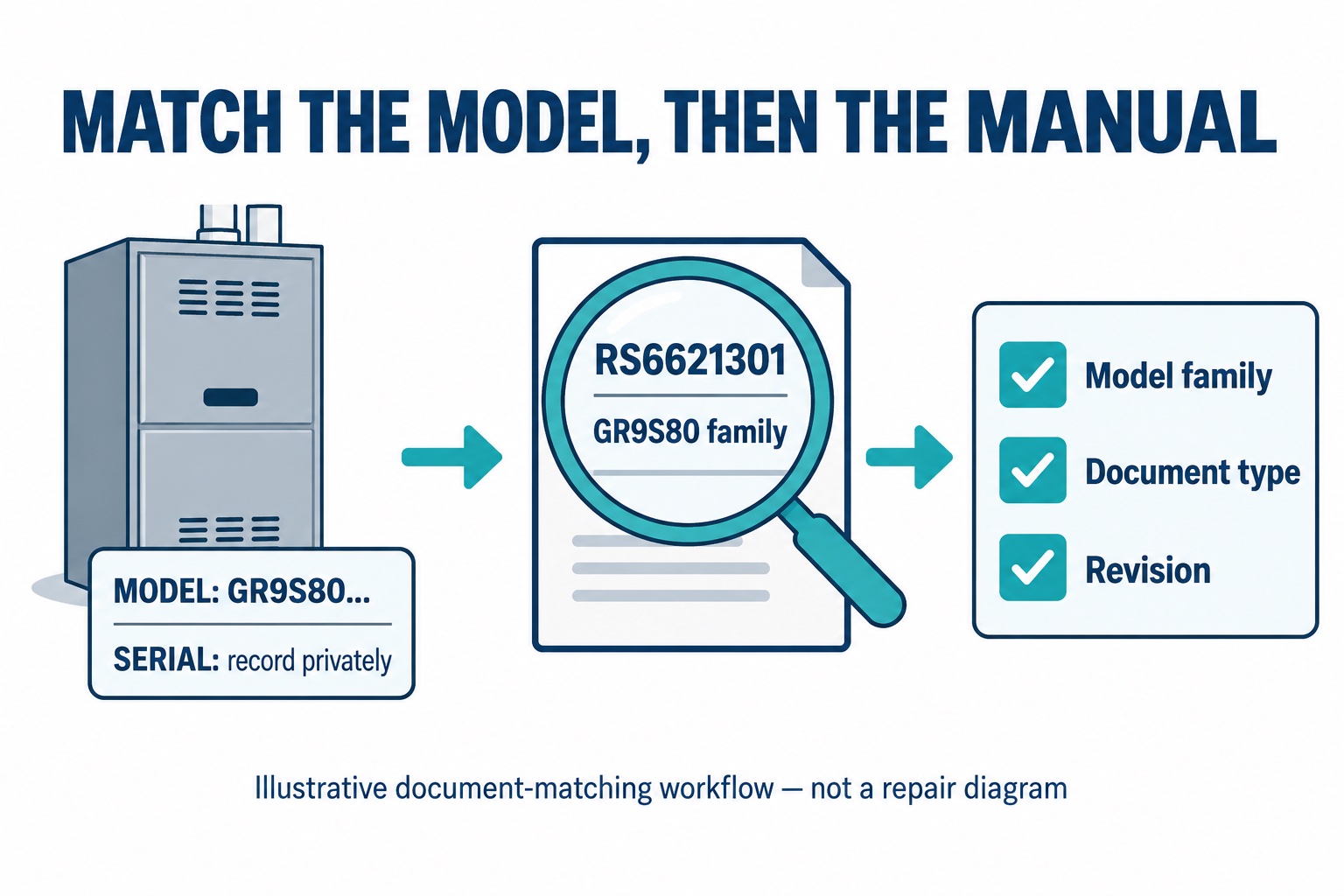
Find the equipment identity without opening the furnace
Start with the installation invoice, equipment registration, or paperwork left by the installer. Goodman’s identification FAQ explains that dealers may attach the shipping-box traveler label to this paperwork. It also places the rating plate on the furnace’s inner wall and recommends dealer involvement when accessing the serial number.
If the paperwork is missing or illegible, ask the servicing dealer to identify the unit. Do not remove a panel, bypass a door switch, or approach an operating burner to complete this worksheet. The furnace, outdoor air conditioner, indoor coil, and thermostat may each have separate identification details; label your records by equipment rather than saving an unexplained photograph.
- Model: Copy the entire string, including final letters, rather than just the family prefix.
- Serial: Keep it in your private service folder and share it directly with the dealer when needed.
- Source: Record whether the number came from installation paperwork or a dealer-confirmed equipment label.
- Uncertain characters: Mark them as uncertain. Do not silently substitute a zero for the letter O or guess a missing suffix.
Choose the document that answers your question
| Document | Useful for |
|---|---|
| Owner or user instructions | Permitted owner care, operating controls, warnings, and service contacts |
| Installation instructions | The installer’s requirements and setup information; not permission for an owner to alter the installation |
| Service and troubleshooting manual | Technician diagnosis for the listed equipment families |
| Specification sheet or brochure | Product features and published ratings; not a substitute for operating instructions |
| Parts information | A dealer’s component-identification check, including applicable manufacturing details |
Our filing recommendation is to save these as separate documents. For example, a brochure may answer “which product family is this?” without answering “what does this fault mean?” Write the question you are trying to answer before selecting a search result.
A worked example: a similar name can be the wrong family
Goodman’s RS6621301 service manual, dated November 2023, lists GR9S80, AR9S80, GD9S80, AD9S80, VR9S80, and VD9S80 on its cover. Its identification page also distinguishes model and manufacturing information used when requesting parts or service. The document is intended for trained service personnel.
Separately, Goodman’s GM9S96 brochure includes model GM9S960603BN. That is a different family from GR9S80. The shared brand and similar characters do not make RS6621301 a matching manual for that GM9S96 model.
This is a document-comparison example, not a diagnosis of either furnace. It shows why copying a code chart from the first Goodman PDF you find is a poor shortcut. Even a family match is only an initial screen; ask the dealer to confirm applicability to the full model and installed equipment.
Check the cover, scope, and revision before saving
- Use the manufacturer’s route. Goodman links its Literature Library from its support navigation. If it does not load, use Goodman’s support/dealer route rather than relying on a filename from an unrelated download site.
- Read the cover. Look for the listed families and document type. Search within the PDF for your family and then check the applicability information.
- Record the document identifier. Save the publication number, revision/date, source link, and date downloaded. A filename alone is not your verification record.
- Resolve a mismatch. If your full model is not clearly covered, or different documents conflict, ask the dealer which document applies. Do not choose by whichever instructions look easier.
A replacement control or a past repair adds another reason to involve the technician. Keep the service invoice with the document folder so the person diagnosing the furnace can check the installed configuration instead of assuming it is unchanged.
A copyable furnace document record
- Equipment: furnace / outdoor unit / coil / thermostat
- Full model: ______; private serial record: ______
- Identification source and date: ______
- Owner document title, number, revision, and source: ______
- Other document and covered families: ______
- Applicability confirmed by dealer on: ______
- Service invoice or replacement-control information: ______
- Current symptom or exact visible code, without a reset: ______
Keep the original downloaded file. If a later revision is supplied, retain both with a note explaining which one the dealer says applies. Our recommendation is to avoid overwriting a known service record with an unverified search result.
If there is a fault now
Document collection is not a reason to keep operating an unsafe furnace. Gas odor requires leaving the building without operating electrical switches and contacting the gas supplier or emergency services from outside. Do not attempt gas, combustion, wiring, or safety-control work. Goodman’s service manual restricts servicing to qualified personnel.
Use the existing Goodman troubleshooting guide for external checks and stop points. A recorded code plus confirmed equipment identity is more useful to a technician than a guessed component order.
How this guide was prepared
TemperatureMaster Editorial used AI-assisted research and writing, checked against the manufacturer sources linked above. The document comparison and filing worksheet are editorial tools, not a hands-on furnace test or licensed technical review. The linked publications are examples, not universal manuals for all Goodman furnaces. See our editorial policy.
